





Why does my robot vacuum suck now? Well, whens the last time you cleaned it?

Robot vacuums are clutch when they’re working correctly — and uniquely infuriating when they’re not. (A broken dishwasher could hardly incite the rage of stepping on crumbs that a robot vacuum should have easily sucked up.) If your robot vacuum isn’t cleaning your floors as well as it used to, consider how long it’s been since you cleaned your robot vacuum.
Obviously, general lifespan also plays a role in a robot vacuum’s declining abilities. Most robot vacuums last between three and six years, inevitably suffering from normal wear and tear, aging tech, and batteries that probably get worse over time. But if it’s a relatively recent purchase, sudden crappy performance could really just be your robot vacuum begging to be cleaned.
I tried the Roborock Qrevo Curv 2 Flow: It’s cracked the code to roller mopping along edges
A monthly maintenance routine is the best way to keep your vacuum in peak condition for as long as possible. From weird noises to loss of suction, here’s a checklist for when your robot vacuum is acting up.
My robot vacuum is just pushing dirt around
Loss of suction doesn’t necessarily mean that your robot vacuum is on the fritz. The “set and forget” tagline is a great selling point for self-emptying robot vacuums, but taking it too literally is a recipe for some sort of blockage that weakens suction power. There are a few inner parts that could be jammed here.
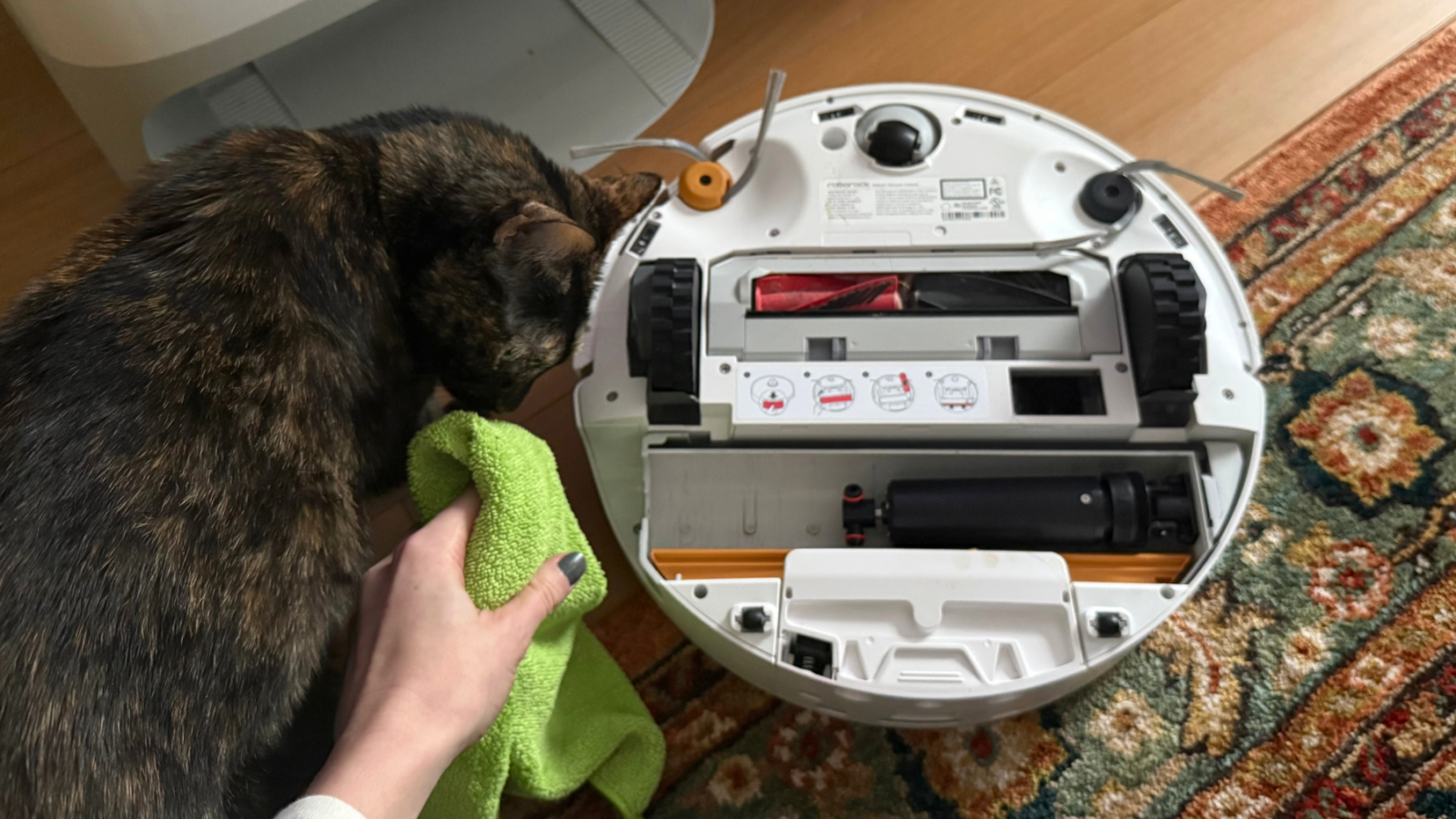
Check the brushes: Long hair starts to spool around the vacuum’s brush roll after a few months, even on vacuums with elite anti-tangle brush rolls. That wrapped hair can get so thick that it physically constricts the brush from spinning correctly, preventing optimal debris and hair pickup. (I’ve also experienced a similar incident with fake snow yanked from underneath our Christmas tree.) Every week or two, flip the vacuum over and pull or cut out any hairs that are caught.
Check the filter: Neglecting a vacuum’s filter is a universal habit for robot vacuum and stick vacuum owners, despite the fact that a clogged vacuum filter is guaranteed to affect suction power. If the filter is caked with dust bunnies, the motor doesn’t have the breathing room to pull air in to create suction in the first place. The gray gunk builds up way faster than you probably think.

Credit: Leah Stodart / Mashable
The filter really should be rinsed and air dried at least every two weeks, more often if you have multiple pets (or allergies). They’re typically located under the hood near the dustbin. Most robot vacuums come with a replacement filter in the box.
Check the dust bins and dust pathways: A full dustbin is probably the most “duh” maintenance issue that might cause your robot vacuum to spit debris back out. Plus, most self-emptying robot apps will alert you when the dust bin needs to be replaced. But you’ll also want to ensure that no dust pathways are backed up, like the opening where debris enters the vacuum or where debris sucks out of the vacuum into the dock.

Credit: Leah Stodart / Mashable

Credit: Leah Stodart / Mashable
Two heavy-duty mopping tests that I’ve conducted recently resulted in finding dried queso and strawberry daiquiri crusted along the pathways of two high-end robot vacuums. Not only was it vomit-inducing, but a reminder of how easily parts can get plugged up.
My robot vacuum is making a weird noise
You know what your robot vacuum sounds like normally. So if you’re hearing a sudden clanking sound, or it has just gotten really loud out of nowhere, there’s probably something trapped underneath. Most times, it’s a large or awkwardly-shaped object that the vacuum probably shouldn’t have tried to suck up. It might be wedged somewhere on the bottom of the vac or already rattling around inside the dustbin.
Off the top of my head, I’ve had to rescue mini nail files, skincare spray caps, twist ties, and a spider ring from the bottom of a robot vacuum. If you have cats, don’t underestimate the variety of small plastic items that could be lingering around the house.
One of my cats loves playing with bobby pins, specifically via bolting behind furniture or through her tunnel to chase them across the hardwood floor. I try my best to pick them all up before sending a robot vacuum out to clean, but I occasionally miss a few rogue ones. Once, the Dreame X60 Max Ultra was mopping my kitchen and making an uncharacteristically unsavory scraping sound. I flipped it over to find three bobby pins stuck to the magnets in the middle of the rotating mopping pads.
Your robot vacuum app should warn you if there’s a major clog involving a sock, but smaller soft items like tissues or pet toys could also cause a weird rumble.
My robot vacuum’s mopping pad stinks
There’s a large crowd who want a robot vacuum that doesn’t mop. Keeping up with mildewy mopping pads and leaky water tanks just isn’t worth it to them. That’s valid, especially when we’re talking about super basic 2-in-1 models that don’t wash and dry their own mopping pads. But even the best robot vacuum and mop combos can get gross if they’re not taken care of properly,
Most of us are all too familiar with the smell of damp clothes that were accidentally left in the washing machine overnight. Damp mopping pads get similarly stinky being tucked away against the floor or the wall of a dock — even self-washing mopping pads start to develop a brown tint and need a legitimate laundry day once every month or so.

Credit: Leah Stodart / Mashable
The good news is that almost all robot vacuum mopping pads are machine washable. It’ll be attached by velcro, magnets, or a clicking or sliding mechanism. Most vacuums come with a backup pad in the box, so you don’t have to wait for the other one to be ready. Roller mops usually pop out of the bottom of the vacuum with the click of a button, and you can wash those by hand with dish soap. I also use my emotional support hypochlorous acid spray, which is an extremely effective, non-toxic odor eliminator and disinfectant.
Alternatively, the dock itself might be gross.
The mopping pad bay where the robot vacuum parks to charge can become a breeding ground for bacteria if it’s not wiped out every week or so. Aside from the small chunk of time that the robot vacuum is out cleaning, that area doesn’t see the light of day. The airflow used to dry the mopping pads isn’t enough to completely air out the moisture-prone space, covered in layers of nastiness that your robot vacuum brought back from countless cleaning runs.

Credit: Leah Stodart / Mashable
After I sent the Dreame Aqua10 Ultra Roller to clean up spilled strawberry daiquiri, I found a few pink splatters both on the underside of the vacuum itself and on the dock’s mop tray. Until I gave both a good clean, there was a faint smell of strawberry in the dock and wherever the Aqua10 was mopping. I wasn’t about to walk barefoot on that.
If there’s a lot of shedding in your household, soggy clumps of pet hair could end up blocking the fan vents altogether, potentially leading to a malfunctioning drying system.
My robot vacuum is suddenly getting lost
If the issue is related to charging or not turning on at all, you’ll want to check the warranty or chat with customer service. Not all cleaning tips can troubleshoot technological or software errors. However, navigational blips could be due to something as simple as dirty sensors — a frequently-used robot vacuum encounters plenty of various splatters and puffs of dust. Use a microfiber cloth to gently wipe the lenses on the front, as well as sensors located in the dock near the charging magnets.
Moving furniture around can trip a smart mapping robot vacuum up, though most premium robot vacuums from 2025 and 2026 can update their maps in real time if they notice a change in a room’s layout.
I once tried to move a robot vacuum a foot away from its original spot in the corner, merely facing it toward a different wall so I could put a lamp in the old spot. The vac got confused enough that it gave up on getting back to the dock, requiring a total re-map.


Related Articles


Conduent data breach grows, affecting at least 25M people
The number of people affected by a data breach at government contractor...
Ryan Coogler’s X-Files reboot gets the green light at Hulu
Good news for all Ryan Coogler fans: The Sinners director is bringing...
Oura built a women’s health AI using clinical research – how to try it
When you ask Oura Advisor a women’s health question, its proprietary AI...
Waymo robotaxis are now operating in 10 US cities
Waymo launched services today in Dallas, Houston, San Antonio, and Orlando.
Leave a comment